आज के समय में जब कोई व्यक्ति किसी दुकान, coaching institute, salon, restaurant, clinic या local service को खोजता है, तो वह अक्सर सबसे पहले Google पर search करता है।
मान लीजिए किसी व्यक्ति को अपने आसपास “best digital marketing agency near me”, “best coaching institute in Jaipur” या “nearby dental clinic” खोजनी है। ऐसे में Google Search और Google Maps पर आपके business की सही और complete information दिखाई देना बहुत महत्वपूर्ण है।
यहीं पर Google My Business काम आता है।
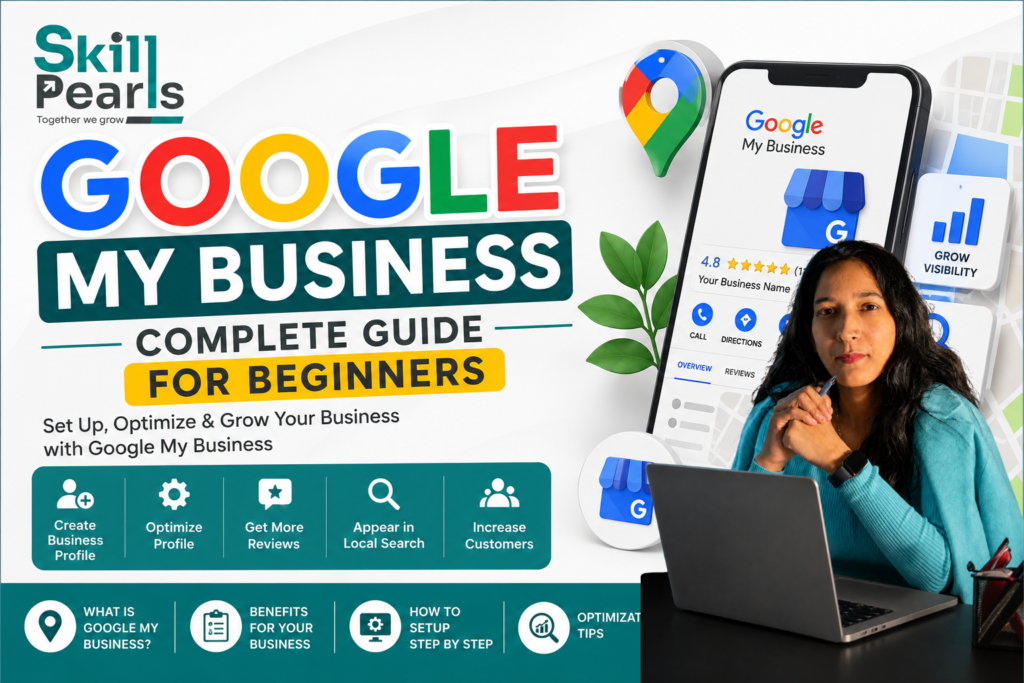
हालाँकि Google ने अब “Google My Business” नाम की जगह Google Business Profile नाम का इस्तेमाल किया है। Business Profile के जरिए eligible businesses Google Search और Google Maps पर अपनी business information manage कर सकते हैं। इसे add या claim करना free है।
इस guide में हम आसान हिंदी में समझेंगे कि Google Business Profile क्या है, इसके फायदे क्या हैं, इसे कैसे बनाएं, verify कैसे करें और Local SEO के लिए इसे कैसे optimize करें।
Google My Business क्या है?
Google My Business, जिसे अब Google Business Profile कहा जाता है, Google का एक platform है जिसकी मदद से business owners अपने business की information को Google Search और Google Maps पर manage कर सकते हैं।
आप इसमें अपने business से जुड़ी कई महत्वपूर्ण details दिखा सकते हैं, जैसे:
- Business Name
- Business Category
- Address
- Phone Number
- Website
- Opening Hours
- Photos और Videos
- Services
- Customer Reviews
- Social Media Links
- अन्य business-related information
इसका फायदा यह है कि जब कोई potential customer आपके business को Google पर search करता है, तो उसे आपके business के बारे में महत्वपूर्ण information एक जगह मिल सकती है।
एक आसान उदाहरण
मान लीजिए आपकी एक Digital Marketing Agency है।
कोई व्यक्ति Google पर search करता है:
“Digital Marketing Agency in Jaipur”
अगर आपका Business Profile properly set up और optimized है, तो आपका business Google Search या Maps में दिखाई दे सकता है।
Customer आपके profile से:
- आपका location देख सकता है
- Phone कर सकता है
- Website खोल सकता है
- Directions ले सकता है
- Reviews पढ़ सकता है
- आपकी Photos देख सकता है
इस तरह Google Business Profile आपके और potential customers के बीच एक important digital connection बन सकता है।
Google Business Profile क्यों जरूरी है?
आज customer किसी business पर जाने से पहले उसकी online presence check कर सकता है।
अगर आपका business Google पर मौजूद है लेकिन information अधूरी है, phone number गलत है, hours update नहीं हैं या photos नहीं हैं, तो customer को आपके business पर भरोसा करने में परेशानी हो सकती है।
एक properly managed Business Profile आपको कई तरह से मदद कर सकता है।
1. Google Search में Business की Visibility
आपका business relevant local searches में customers के सामने दिखाई दे सकता है।
2. Google Maps पर Presence
Customers Maps पर आपका location खोज सकते हैं और आपके business तक directions प्राप्त कर सकते हैं।
3. Customer Trust बढ़ाने में मदद
Accurate information, genuine photos और customer reviews आपके business की credibility को मजबूत करने में मदद कर सकते हैं।
4. Customers से Direct Interaction
Customers आपके business को call कर सकते हैं, website visit कर सकते हैं और उपलब्ध होने पर अन्य actions भी ले सकते हैं।
5. Local Customers तक पहुंच
अगर आपका business किसी specific city या area में customers को serve करता है, तो Business Profile आपकी local online presence का महत्वपूर्ण हिस्सा हो सकता है।
Google के अनुसार, verified Business Profile customers को Search और Maps पर business खोजने में मदद कर सकता है और business owners को अपनी information manage करने की सुविधा देता है।
Google Business Profile कौन बना सकता है?
हर online entity के लिए Business Profile बनाना जरूरी नहीं है। Google की eligibility guidelines लागू होती हैं।
Generally, ऐसे eligible businesses जो customers को किसी physical location पर serve करते हैं या service-area business के रूप में customers तक पहुंचते हैं, Business Profile के लिए eligible हो सकते हैं।
इसलिए profile बनाने से पहले यह check करना जरूरी है कि आपका business Google की eligibility requirements को पूरा करता है या नहीं।
Google Business Profile कैसे बनाएं?
अगर आपके business का profile Google पर मौजूद नहीं है, तो आप नया Business Profile create कर सकते हैं।
Google के official process के अनुसार:
Step 1: Google Business Profile पर जाएं
Google के Business Profile setup page पर जाकर “Add your business to Google” option चुनें।
Step 2: Business की Details भरें
अपने business का:
- सही नाम
- Category
- Address या Service Area
- Phone Number
- Website
- अन्य जरूरी information भरें।
Step 3: Business की जानकारी ध्यान से भरें
Business Name और Address जैसी information official और accurate होनी चाहिए। गलत या misleading information डालने से profile से संबंधित problems हो सकती हैं।
Step 4: Verification करें
Business Profile को manage करने और business information में changes करने के लिए verification जरूरी है। Google आपके business के हिसाब से available verification method निर्धारित करता है।
Existing Business Profile को Claim कैसे करें?
कई बार ऐसा होता है कि business का profile Google Search या Maps पर पहले से मौजूद होता है।
ऐसे में नया profile बनाने के बजाय existing profile को claim करना बेहतर होता है।
Google Maps पर अपने business का नाम और city search करें।
अगर profile unverified है और आप authorized owner या manager हैं, तो “Claim this business” option उपलब्ध हो सकता है। इसके बाद Google द्वारा दिए गए verification steps को follow करना होता है।
अगर profile पहले से किसी दूसरे व्यक्ति द्वारा verified है, तो authorized business owner ownership request भी भेज सकता है।
Google Business Profile Verification क्या है?
Verification का मतलब है Google को यह confirm करना कि आप वास्तव में उस business को manage करने के लिए authorized हैं।
Verification के बिना आप अपने Business Profile की पूरी तरह से management नहीं कर पाएंगे।
Google अलग-अलग businesses के लिए अलग verification methods उपलब्ध करा सकता है। इनमें situation के अनुसार:
- Phone या SMS
- Video verification
- Live video call
जैसे options हो सकते हैं। हर business को सभी methods available हों, यह जरूरी नहीं है। Verification options Google खुद निर्धारित करता है।
एक जरूरी सावधानी
अगर आपको verification code मिलता है, तो उसे किसी अनजान व्यक्ति के साथ share न करें। Google की official guidance के अनुसार verification code को सुरक्षित रखना चाहिए।
Business Profile में कौन-कौन सी Information Add करनी चाहिए?
Profile बनाने के बाद सिर्फ basic information डालकर छोड़ देना सही approach नहीं है।
आपको profile को complete और accurate रखना चाहिए।
1. Business Name
अपने business का वास्तविक नाम इस्तेमाल करें।
नाम में unnecessary keywords या promotional words जोड़ना avoid करें।
2. Business Category
अपने business के लिए सबसे relevant primary category चुनें।
इसके अलावा, जहां applicable हो, relevant additional categories भी इस्तेमाल की जा सकती हैं।
Category selection important है क्योंकि इससे Google को आपके business की nature समझने में मदद मिलती है।
3. Business Address
अगर आपका business customers को अपने physical location पर serve करता है, तो accurate address देना महत्वपूर्ण है।
Address ऐसा होना चाहिए जिसे Google properly identify कर सके।
अगर आप customers को अपने address पर serve नहीं करते और service-area business हैं, तो situation के अनुसार address hide करके service area दिखाया जा सकता है।
4. Phone Number
ऐसा phone number दें जिस पर customers वास्तव में business से contact कर सकें।
गलत या inactive number आपकी credibility को नुकसान पहुंचा सकता है।
5. Website
अगर आपके business की website है, तो उसे Business Profile में जरूर add करें।
इससे interested customer profile से आपकी website पर जा सकता है और आपके products या services के बारे में ज्यादा जानकारी ले सकता है।
6. Business Hours
अपने opening और closing hours को accurately update करें।
अगर holiday या किसी special occasion पर timings बदलती हैं, तो available features के जरिए special hours भी manage किए जा सकते हैं।
Business Profile में Photos क्यों जरूरी हैं?
Business Profile को attractive और informative बनाने के लिए अच्छी quality की वास्तविक photos add करना उपयोगी है।
आप अलग-अलग प्रकार की photos add कर सकते हैं, जैसे:
- Business Logo
- Cover Photo
- Exterior Photos
- Interior Photos
- Products
- Services
- Team
- Workspace
Google के अनुसार, business photos customers को business को समझने और पहचानने में मदद कर सकती हैं। Photos और videos दिखने के लिए profile का verified होना जरूरी है।
Photos कैसी होनी चाहिए?
Photos:
- Clear और अच्छी quality की हों
- Properly lit हों
- वास्तविक business को represent करें
- जरूरत से ज्यादा filters या alterations से बचें
Google की current guidance के अनुसार photos के लिए JPG/PNG formats supported हैं और recommended resolution 720 × 720 pixels है।
Customer Reviews का क्या महत्व है?
Online reviews customer के decision को प्रभावित कर सकते हैं।
मान लीजिए दो similar businesses हैं।
एक business के पास अच्छी information और कई genuine customer reviews हैं, जबकि दूसरे business का profile incomplete है और reviews भी बहुत कम हैं।
कई customers पहले business को ज्यादा trustworthy मान सकते हैं।
इसलिए genuine customers से reviews प्राप्त करना और उन्हें professionally respond करना important है।
Google के अनुसार, verified business customer reviews को पढ़ और उनका reply कर सकता है।
Negative Review आने पर क्या करें?
Negative review देखकर तुरंत argument करना सही approach नहीं है।
इसके बजाय:
- Customer की समस्या समझें।
- Professional तरीके से reply करें।
- जरूरत हो तो solution offer करें।
- अगर review Google की policies का उल्लंघन करता है, तो उसे report करने का option इस्तेमाल करें।
Fake reviews खरीदना या customers को misleading तरीके से reviews देने के लिए कहना avoid करें।
Google Business Profile और Local SEO
अब सवाल आता है कि Business Profile का Local SEO से क्या connection है?
Local SEO का उद्देश्य यह होता है कि जब लोग किसी specific location के आसपास product या service search करें, तो relevant local businesses उन्हें आसानी से मिल सकें।
उदाहरण:
“Best salon near me”
“Digital Marketing Agency in Jaipur”
“Best coaching institute near me”
“Dentist in Delhi”
ऐसे searches में Google location और अन्य signals के आधार पर local results दिखा सकता है।
इसलिए Business Profile को accurate और complete रखना Local SEO strategy का important हिस्सा हो सकता है।
लेकिन एक गलत assumption से बचना जरूरी है:
सिर्फ Business Profile बना लेने से आपका business automatically Google पर No. 1 rank नहीं करेगा।
Local visibility कई factors पर depend कर सकती है। इसलिए profile creation के साथ ongoing optimization और overall local SEO strategy भी जरूरी है।
Google Business Profile को Optimize कैसे करें?
अगर आप अपने Business Profile से बेहतर results चाहते हैं, तो इन बातों पर ध्यान दें:
1. Profile को Complete रखें
Business की जरूरी information missing न हो।
2. Information Accurate रखें
Address, phone number, website और business hours regularly check करें।
3. सही Category चुनें
ऐसी category चुनें जो आपके actual business को accurately represent करे।
4. Real Photos Add करें
अपने business, products, services और location की genuine photos upload करें।
5. Reviews को Manage करें
Customers के genuine reviews का professional तरीके से reply करें।
6. Business Information Updated रखें
अगर address, phone number, timings या services में कोई change हो, तो profile को update करें।
7. Website को Optimize करें
Business Profile और website की basic business information में consistency रखना useful है।
Google Business Profile में Common Mistakes
Beginners अक्सर कुछ common mistakes करते हैं।
केवल Profile बनाकर छोड़ देना
Business Profile कोई “set and forget” platform नहीं है।
Business information, photos, reviews और other details को समय-समय पर manage करना चाहिए।
गलत Business Information
गलत phone number, address या opening hours customer को confuse कर सकते हैं।
Duplicate Profiles बनाना
एक ही business के लिए unnecessarily multiple profiles create करना problems पैदा कर सकता है।
Fake Reviews
Fake reviews short-term में attractive लग सकते हैं, लेकिन यह trust और policy दोनों के लिए risk create कर सकता है।
Keyword Stuffing
Business name में जबरदस्ती keywords जोड़ना सही optimization strategy नहीं है।
“Best Digital Marketing Agency Jaipur Cheap No.1” जैसे unnatural names से बचना चाहिए।
Low-Quality Photos
Blurred, outdated या irrelevant photos आपके business की online presentation को कमजोर कर सकती हैं।
Google Business Profile से Business कैसे Grow करें?
Business Profile का ultimate purpose केवल online presence बनाना नहीं है।
आपका लक्ष्य होना चाहिए कि profile से आने वाले users को actual customers में convert किया जाए।
इसके लिए एक simple customer journey समझें:
Google Search → Business Profile → Website / Call / Directions → Enquiry → Customer
उदाहरण के लिए:
एक व्यक्ति Google पर आपकी service search करता है।
उसे आपका Business Profile दिखाई देता है।
वह reviews पढ़ता है, photos देखता है और आपकी website खोलता है।
उसे आपकी service useful लगती है।
फिर वह आपको call करता है या enquiry करता है।
यानी एक properly managed Business Profile आपकी overall Local Marketing और Customer Acquisition Strategy का हिस्सा बन सकता है।
Google Business Profile के फायदे – एक नजर में
अगर सही तरीके से manage किया जाए, तो Business Profile आपको:
- Google Search में business presence बनाने में
- Google Maps पर customers तक पहुंचने में
- Business information दिखाने में
- Customer reviews manage करने में
- Photos और videos showcase करने में
- Website visits और enquiries बढ़ाने में
- Local customers तक पहुंचने में
मदद कर सकता है। Google भी Business Profile को Search और Maps पर business presence manage करने और customers से interact करने के लिए उपयोगी बताता है।
Beginners के लिए Google Business Profile Checklist
अगर आप अपना Business Profile अभी setup कर रहे हैं, तो इस checklist को follow कर सकते हैं:
☐ Business Profile Create या Claim करें
☐ Business Verification Complete करें
☐ सही Business Name डालें
☐ सही Primary Category चुनें
☐ Address या Service Area सही करें
☐ Phone Number Add करें
☐ Website Add करें
☐ Opening Hours Update करें
☐ Logo और Cover Photo Add करें
☐ Business की Real Photos Add करें
☐ Services की Information Add करें
☐ Customer Reviews का Reply करें
☐ Profile Information Regularly Update करें
☐ Performance को समय-समय पर Check करें
निष्कर्ष
Google My Business, जिसे अब Google Business Profile कहा जाता है, local businesses के लिए एक important digital marketing tool है।
अगर आपका business customers को किसी specific location पर serve करता है या service area में काम करता है, तो Google Search और Maps पर आपकी सही और complete presence customers तक पहुंचने में मदद कर सकती है।
लेकिन सिर्फ profile बना लेना पर्याप्त नहीं है।
एक effective Business Profile के लिए आपको accurate information, सही category, genuine photos, customer reviews, updated business details और proper Local SEO practices पर ध्यान देना चाहिए।
सबसे महत्वपूर्ण बात यह है कि Google Business Profile को केवल एक online listing की तरह न देखें। इसे अपने Local SEO, Online Reputation और Customer Acquisition Strategy का हिस्सा बनाएं।
और याद रखें:
“Google पर दिखाई देना पहला कदम है; सही information देकर customer का trust जीतना अगला कदम है।”