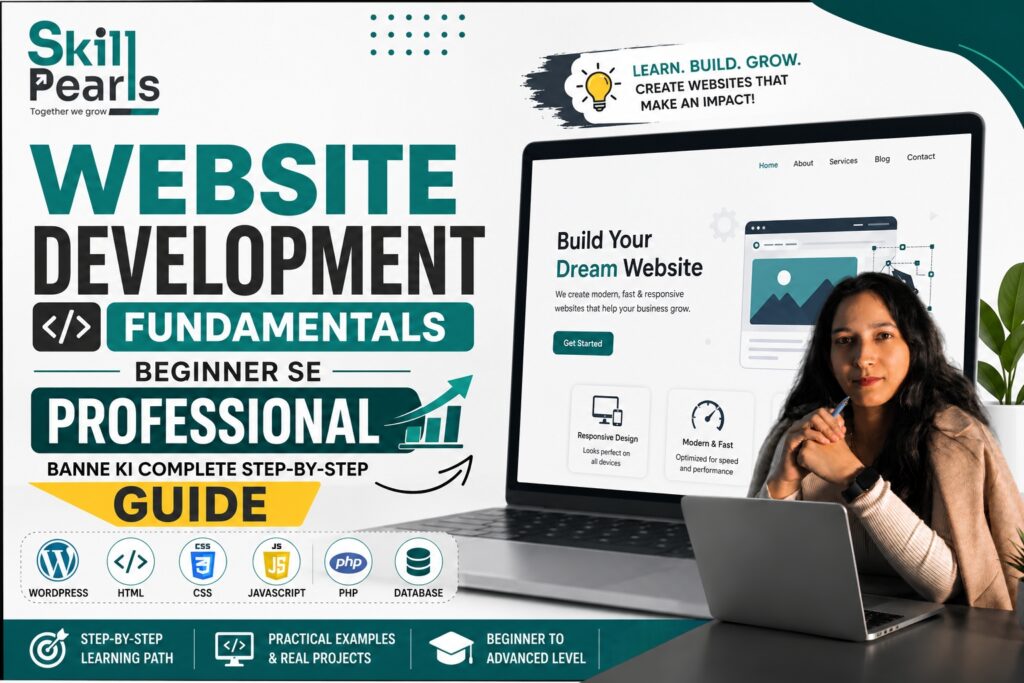
क्या आप Website बनाना चाहते हैं लेकिन आपको Coding नहीं आती? इस Guide में Website Development को आसान Hindi में समझें और Blog Post के माध्यम से Practical Skills सीखें।
आज के Digital समय में लगभग हर Business, Institute, Freelancer, Professional और Content Creator को एक Website की आवश्यकता होती है।
लेकिन जब कोई Beginner Website Development के बारे में सुनता है, तो उसके मन में कई सवाल आते हैं—Website कैसे बनती है? क्या Coding जरूरी है? Domain और Hosting क्या होती है? WordPress क्या है? Blog Post से Website कैसे बनाई और विकसित की जा सकती है?
इस लेख में हम Website Development Using Blog Post को बिल्कुल आसान भाषा में समझेंगे। आप Website की Planning से लेकर WordPress, Blog Structure, SEO, User Experience और Practical Learning तक की पूरी प्रक्रिया समझेंगे।
| इस Blog का उद्देश्य सिर्फ Website बनाना सीखना नहीं, बल्कि ऐसी Website बनाना समझना है जो User के लिए Useful, Easy, Fast, Mobile Friendly और भरोसेमंद हो। |
Website क्या होती है?
सरल शब्दों में, Website इंटरनेट पर मौजूद आपके Business, Brand, Service, Institute या Personal Information का एक Digital स्थान है।
जैसे किसी Business की Physical Shop होती है, उसी तरह Internet पर उसकी Website एक Digital Shop की तरह काम कर सकती है।
उदाहरण
मान लीजिए आपका Digital Marketing Institute है। Student आपकी Website पर आकर Course, Fees, Duration, Syllabus, Trainer, Certificate और Admission की जानकारी देख सकता है।
| Website को ऐसे समझें Website = Online Identity + Information Center + Communication Channel |
Website Development क्या है?
Website Development का अर्थ केवल Website बनाना नहीं है। इसमें Website को Plan करना, Structure बनाना, Design करना, Content तैयार करना, Features जोड़ना, Mobile Friendly बनाना, SEO के लिए Optimize करना, Test करना और समय-समय पर Update करना शामिल है।
एक अच्छी Website = Easy + Fast + Useful + Trustworthy + Mobile Friendly
क्या Website बनाने के लिए Coding जरूरी है?
हर Website बनाने के लिए Advanced Coding सीखना जरूरी नहीं है। WordPress जैसे Content Management System (CMS) की मदद से Beginner भी बिना ज्यादा Coding के Professional Website बना सकता है।
हालाँकि यदि आप Website Development को Career के रूप में सीखना चाहते हैं, तो आगे चलकर HTML, CSS, JavaScript, PHP, Database, Hosting और Website Security जैसी Technologies सीखना उपयोगी होगा।
WordPress क्या है?
WordPress एक Content Management System (CMS) है। इसकी मदद से Website का Content आसानी से Create, Manage और Publish किया जा सकता है।
WordPress का उपयोग कई प्रकार की Websites के लिए किया जा सकता है:
- Business Website
- Blog Website
- Educational Website
- News Website
- Portfolio Website
- Service Website
- E-commerce Website
- Personal Website
- Institute Website
Blog क्या होता है?
Blog Website का वह Section होता है जहाँ नियमित रूप से Articles या Posts Publish किए जाते हैं।
- Digital Marketing क्या है?
- SEO क्या है?
- Google Ads कैसे काम करता है?
- Social Media Marketing क्या है?
- Website कैसे बनाएं?
- Digital Marketing Career कैसे शुरू करें?
- Keyword Research क्या है?
Blog Post और Website में क्या अंतर है?
Website और Blog Post एक ही चीज़ नहीं हैं। Website एक पूरा Digital Platform है, जबकि Blog Post Website के अंदर प्रकाशित किया गया एक Article होता है।
| Website | Blog Post |
| पूरा Digital Platform | Website के अंदर एक Article |
| Home, About, Services, Contact आदि Pages | एक Specific Topic पर जानकारी |
| पूरी Website की Identity | Content का एक हिस्सा |
| आसान उदाहरणWebsite = पूरा घर | Blog Post = उस घर का एक कमरा |
Website Development में Blog का क्या महत्व है?
1. Audience को जानकारी मिलती है
Students और Users आपके Blog के माध्यम से अपने Questions के Answers पा सकते हैं।
2. Website पर Traffic आ सकता है
लोग Google पर Questions Search करते हैं। यदि आपकी Website उन Questions के Useful Answers देती है, तो Search Visibility के अवसर बढ़ सकते हैं।
3. Trust बनता है
Useful Guides, Tutorials, FAQs, Case Studies और Educational Blogs आपके Brand को अधिक Helpful और Knowledgeable दिखा सकते हैं।
Blog Post से Website Development कैसे सीखें?
एक Blog Post बनाते समय Student को Website Structure, Headings, Paragraphs, Images, Links, Categories, SEO, Mobile Design और User Experience जैसे कई Concepts समझने पड़ते हैं। इसलिए Blog बनाना Website Development सीखने का एक Practical तरीका हो सकता है।
- Website Structure
- Page Structure
- Heading Hierarchy
- Images
- Internal Links
- SEO
- Mobile Experience
- User Experience
Step 1: Website का उद्देश्य तय करें
Website बनाने से पहले तय करें कि Website किस उद्देश्य से बनाई जा रही है।
- Digital Marketing Institute → Courses की जानकारी और Admissions
- Freelancer → Services और Portfolio दिखाना
- Blogger → Useful Information Publish करना
- Business Owner → Products और Services Promote करना
| याद रखें Website बनाने से पहले Goal तय करें। Goal clear होगा तो Website का Structure भी बेहतर बनाया जा सकेगा। |
Step 2: Domain Name चुनें
Domain Name आपकी Website का Internet Address होता है। उदाहरण: example.com
Domain ऐसा होना चाहिए जो याद रखने में आसान, छोटा, Brand से जुड़ा, बोलने में आसान और Professional हो।
| आसान उदाहरण Domain = आपके घर का Address |
Step 3: Hosting समझें
Hosting वह जगह है जहाँ Website की Files और Data Store किए जाते हैं ताकि Website Internet पर उपलब्ध हो सके।
| आसान उदाहरण Domain = घर का Address | Hosting = घर |
Step 4: WordPress Install करें
Hosting पर WordPress Install करने के बाद आप WordPress Dashboard से Website को Manage कर सकते हैं।
- Pages बनाना
- Blog Posts लिखना
- Images Upload करना
- Menus बनाना
- Themes बदलना
- Plugins जोड़ना
- Website Settings Manage करना
Step 5: Website का Theme चुनें
Theme Website का Design और Visual Appearance तय करने में मदद करती है। केवल सुंदर Design देखकर Theme न चुनें।
- Mobile Friendly
- Fast Loading
- Clean Design
- Easy Navigation
- Customization Options
- SEO Friendly
| महत्वपूर्ण Beautiful Website + Poor User Experience = Poor Website |
Step 6: Website के जरूरी Pages बनाएं
Home Page
User को जल्दी समझ आना चाहिए कि आप कौन हैं, क्या करते हैं, किसकी मदद करते हैं और आपको क्यों चुनना चाहिए।
About Us
Business, Team, Experience और Mission के बारे में जानकारी दें।
Services
आपकी Services जैसे SEO, Google Ads, Social Media Marketing, Website Development और Content Marketing की जानकारी दें।
Courses
Course Name, Duration, Syllabus, Practical Training, Projects, Certification और Career Support जैसी जानकारी दें।
Blog
Educational और Useful Articles प्रकाशित करें।
Contact Us
Phone, Email, WhatsApp, Contact Form और Office Location जैसे आसान Contact Options दें।
Step 7: Blog Post कैसे लिखें?
एक अच्छी Blog Post की Structure इस प्रकार हो सकती है:
Title
User को तुरंत समझ आना चाहिए कि Blog किस बारे में है।
Introduction
शुरुआत में User की Problem या Question को समझें।
Main Headings
Blog को छोटे और स्पष्ट Sections में Divide करें।
Examples
Important Concepts के साथ Real-life Examples दें।
Conclusion
पूरे Blog का छोटा और स्पष्ट Summary दें।
Call to Action (CTA)
User को अगला कदम बताएं, जैसे Course देखें, Contact करें या Related Blog पढ़ें।
Blog Post में Heading का सही उपयोग
Heading Website और Blog की Structure समझने में बहुत महत्वपूर्ण होती है।
- H1 → Main Topic
- H2 → Main Sections
- H3 → Sub-sections
| उदाहरणH1: Website Development क्या है? | H2: Website क्या है? | H3: Website के फायदे | H2: WordPress क्या है? |
Blog में Images का उपयोग क्यों करें?
लंबे Blog को केवल Text में पढ़ना कठिन हो सकता है। Relevant Images, Screenshots, Infographics और Diagrams Content को समझने में मदद कर सकते हैं।
- WordPress Dashboard Screenshot
- Blog Editor Screenshot
- Website Homepage
- Menu Structure
- SEO Settings
- Contact Form
| ध्यान रखेंImage केवल Decoration के लिए न लगाएँ। हर Image का कोई उपयोगी उद्देश्य होना चाहिए। |
Internal Linking क्या है?
Internal Linking का अर्थ है अपनी Website के एक Page से उसी Website के दूसरे Relevant Page पर Link देना।
उदाहरण: यदि आपने “Digital Marketing क्या है?” Blog लिखा है, तो उसमें “SEO क्या है?” या “Google Ads क्या है?” जैसे Related Blogs के Links दिए जा सकते हैं।
| फायदा Internal Linking User को आपकी Website के दूसरे Useful Pages तक पहुँचने में मदद कर सकती है। |
External Linking क्या है?
External Linking का अर्थ है अपनी Website से किसी दूसरी Relevant और Reliable Website के Page पर Link देना। जब किसी Official Source या भरोसेमंद Reference की आवश्यकता हो, तब Relevant External Link उपयोगी हो सकता है।
Blog Post और SEO का संबंध
यदि आप चाहते हैं कि आपकी Blog Post Search Engine में दिखाई दे, तो SEO को समझना जरूरी है।
- Keyword
- Search Intent
- Title
- Headings
- Useful Content
- Internal Links
- Images
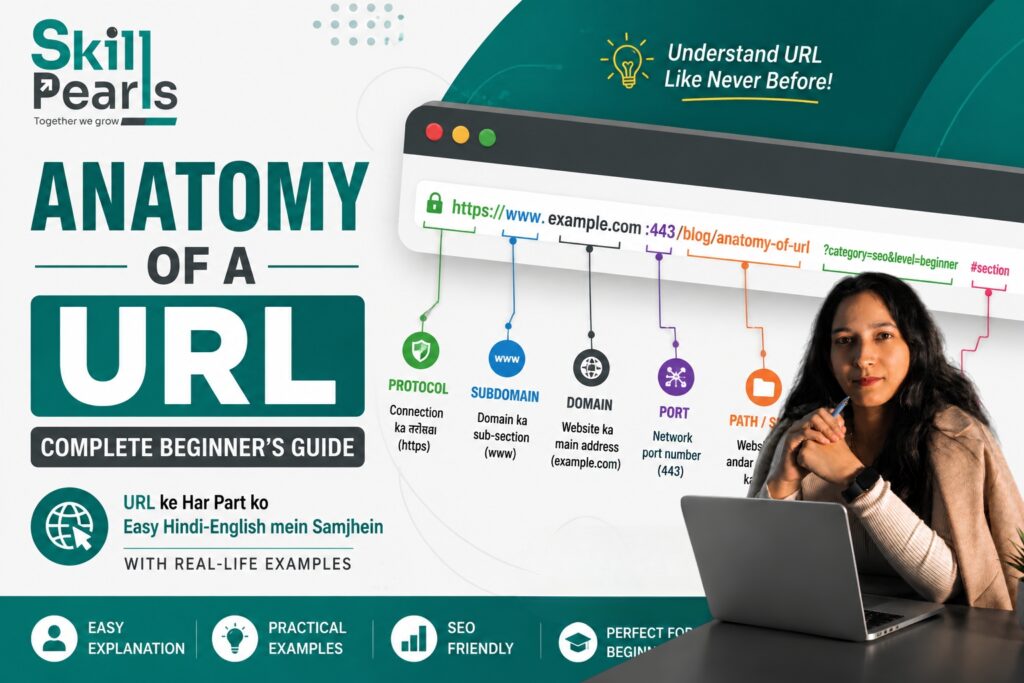
- URL
- Meta Description
- Mobile Experience
- Website Speed
| सबसे महत्वपूर्ण SEO नियम Content पहले User के लिए लिखें और उसके बाद Search Engine के लिए Optimize करें। |
Keyword क्या होता है?
Keyword वह Word या Phrase है जिसे लोग Search Engine में Search करते हैं।
- Website Development Course
- Website कैसे बनाएं
- WordPress क्या है
- Blog Website कैसे बनाएं
Search Intent क्या है?
Search Intent का अर्थ है User वास्तव में क्या जानना, समझना या करना चाहता है।
- “WordPress क्या है?” → जानकारी चाहिए
- “Best WordPress Hosting” → Options या Purchase Information चाहिए
- “WordPress कैसे Install करें?” → Step-by-step तरीका चाहिए
| महत्वपूर्णकेवल Keyword देखना पर्याप्त नहीं है। User का Intent समझना जरूरी है। |
एक अच्छे Blog की पहचान क्या है?
एक अच्छा Blog केवल इसलिए अच्छा नहीं होता क्योंकि वह बहुत लंबा है।
- User की Problem समझे
- आसान भाषा में समझाए
- सही Information दे
- Examples दे
- अच्छी Structure रखे
- पढ़ने में आसान हो
- Relevant Images का उपयोग करे
- Useful Internal Links दे
- User को अगला कदम बताए
| याद रखेंLong Content ≠ Good Content | Useful Content = Good Content |
Website Development का Practical Example
मान लीजिए एक Student को Digital Marketing Institute की Website बनानी है।
Website Structure
- Home
- About
- Courses
- Services
- Blog
- Contact
इसके बाद Blog Section में वह Articles लिख सकता है:
- Digital Marketing क्या है?
- SEO क्या है?
- Google Ads कैसे काम करता है?
- Social Media Marketing क्या है?
- Website कैसे बनाएं?
- WordPress क्या है?
- Content Marketing क्या है?
| परिणामWebsite केवल Information Page नहीं रहेगी; यह Learning + Marketing + Lead Generation Platform बन सकती है। |
Beginner की Common Mistakes
1. बिना Planning Website शुरू करना
सबसे पहले Website का Goal और Structure तय करें।
2. केवल Design पर Focus करना
सुंदर Design अच्छा है, लेकिन User Experience अधिक महत्वपूर्ण है।
3. Mobile को Ignore करना
Website को Mobile Friendly बनाना जरूरी है क्योंकि बहुत से Users Mobile से Website देखते हैं।
4. बहुत ज्यादा Information एक Page पर डालना
Content को Headings, Short Paragraphs, Bullet Points और Images में Divide करें।
5. Blog को Keywords से भरना
Keyword को बार-बार लिखने की बजाय User की Problem का बेहतर समाधान दें।
6. Website को Update न करना
Content, Old Blogs, Broken Links, Security, Plugins और Performance को समय-समय पर Check करें।
Website Development सीखने का Beginner Roadmap
Step 1: Internet और Website Basics
Website, Browser, Domain, Hosting, Server और URL समझें।
Step 2: HTML सीखें
Headings, Paragraphs, Links, Images, Lists, Tables और Forms सीखें।
Step 3: CSS सीखें
Colors, Fonts, Spacing, Layout, Buttons और Responsive Design समझें।
Step 4: WordPress सीखें
Dashboard, Pages, Posts, Themes, Plugins, Menus, Media और Settings सीखें।
Step 5: Blog Writing सीखें
Title + Introduction + Headings + Examples + Images + Conclusion + CTA का उपयोग करें।
Step 6: SEO सीखें
Keywords, Search Intent, On-page SEO, Internal Linking और Basic Analytics समझें।
Step 7: Real Project बनाएं
एक वास्तविक Website बनाएं और उसमें Home, About, Course/Services, Blog और Contact Pages बनाकर नियमित रूप से Content Publish करें।
Website Development में Blog से क्या-क्या सीखा जा सकता है?
| Skill | क्या सीखेंगे? |
| Website Structure | Website के Pages और Sections |
| WordPress | Posts, Pages, Themes और Plugins |
| Content Writing | Useful और आसान Content |
| SEO | Search Visibility के Basics |
| UI/UX | User को आसान Experience देना |
| Images | Visual Content का सही उपयोग |
| Internal Linking | Website Pages को जोड़ना |
| Analytics | User Behaviour समझना |
| Conversion | User को Action लेने के लिए Guide करना |
Website और Blog का सही संबंध
एक अच्छी Website में केवल Design नहीं होना चाहिए। Useful Information, Good Design, Easy Navigation, Quality Content, SEO और Clear CTA का सही Balance होना चाहिए।
- Home Page → Business को समझाता है।
- Services Page → Business क्या करता है, बताता है।
- Course Page → Product या Course की जानकारी देता है।
- Blog → Audience के Questions और Problems के Answers देता है।
- Contact Page → User को Business से जुड़ने का रास्ता देता है।
Frequently Asked Questions (FAQs)
क्या बिना Coding के Website बनाई जा सकती है?
हाँ। WordPress जैसे CMS की मदद से Beginner बिना Advanced Coding के भी Website बना सकता है। लेकिन Web Development को Career के रूप में सीखने के लिए HTML, CSS और JavaScript जैसी Technologies उपयोगी हैं।
क्या WordPress केवल Blog के लिए है?
नहीं। WordPress का उपयोग Business, Portfolio, Educational, Service, Blog और कई अन्य प्रकार की Websites के लिए किया जा सकता है।
क्या Blog Website के लिए जरूरी है?
हर Website के लिए Blog अनिवार्य नहीं है। लेकिन सही Strategy के साथ Blog Educational Content, Search Visibility, Audience Trust और Organic Traffic बढ़ाने में मदद कर सकता है।
एक Website में कितने Blogs होने चाहिए?
कोई Fixed Number नहीं है। Quantity से अधिक Quality महत्वपूर्ण है। नियमित रूप से Useful और Relevant Content Publish करना बेहतर है।
क्या Blog से पैसे कमाए जा सकते हैं?
हाँ। Advertising, Affiliate Marketing, Services, Courses, Digital Products और Sponsored Content जैसे तरीकों से Monetization किया जा सकता है।
Website बनाने के बाद क्या काम खत्म हो जाता है?
नहीं। Website एक Continuous Process है। Content, Security, Performance, Links और User Experience को समय-समय पर Update और Improve करना चाहिए।
अंतिम निष्कर्ष
Website Development केवल Website बनाने का नाम नहीं है।
एक अच्छी Website बनाने के लिए यह समझना जरूरी है कि User कौन है, वह क्या चाहता है, उसकी Problem क्या है और Website उसे कैसे Help कर सकती है।
Blog इस प्रक्रिया का महत्वपूर्ण हिस्सा हो सकता है। एक अच्छी Blog Post User को जानकारी देती है, Problem का समाधान करती है, Trust बनाती है और Website के दूसरे Pages तक ले जा सकती है।
यदि आप Student हैं, तो केवल Tutorials देखकर Website Development सीखने की कोशिश न करें। एक वास्तविक Website बनाएं, Pages तैयार करें, Blog लिखें, Images जोड़ें, Internal Links लगाएं, SEO करें, Mobile पर Check करें और Analytics देखकर लगातार सुधार करें।
Learn → Build → Publish → Analyze → Improve → Repeat
| सबसे महत्वपूर्ण बात Website बनाना एक Skill है, लेकिन ऐसी Website बनाना जो लोगों के लिए वास्तव में Useful हो—यही असली Skill है। |