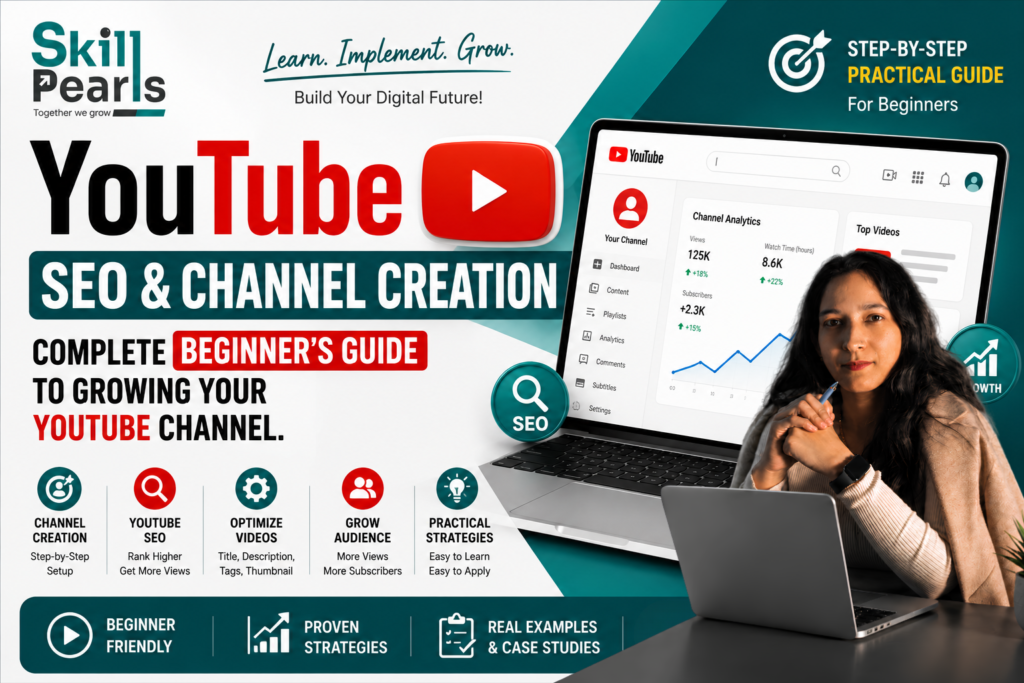
आज YouTube केवल videos देखने का platform नहीं है। यह Learning, Personal Branding, Business Growth, Content Creation और Career Building का powerful platform बन चुका है।
लेकिन बहुत से Beginners YouTube Channel तो बना लेते हैं, Videos भी upload करते हैं, फिर भी उन्हें Views, Subscribers और Engagement नहीं मिलती।
इसका कारण अक्सर केवल Video Quality नहीं होता। सही Niche, Audience Research, Content Strategy, YouTube SEO, Title, Thumbnail, Viewer Experience और Analytics को समझना भी जरूरी है।
इस Complete Guide में हम YouTube SEO और Channel Creation को आसान Hindi में समझेंगे ताकि Students, Beginners, Creators और Business Owners इसे practically सीख सकें।
1. YouTube Channel क्या है?
YouTube Channel आपकी अपनी Digital Identity है। जैसे किसी Business की Website होती है, वैसे ही YouTube पर आपका Channel आपकी पहचान बन सकता है।
- Educational Videos
- Tutorials और How-to Content
- Personal Branding
- Business Promotion
- Skills और Portfolio Showcase
- Audience Building
- Products या Services तक Audience लाना
| Example अगर आपका Channel Digital Marketing पर है, तो आप SEO, Google Ads, Facebook Marketing, Website Development और Content Marketing जैसे related topics पर Videos बना सकते हैं। |
2. YouTube SEO क्या है?
SEO का अर्थ Search Engine Optimization है। YouTube SEO का मतलब है अपने Channel और Videos को इस तरह optimize करना कि YouTube को आपके Content का Topic समझने में आसानी हो और आपका Content relevant Audience तक पहुंच सके।
| Simple Definition YouTube SEO केवल Keywords डालने का नाम नहीं है। इसमें Topic Relevance, Search Intent, Title, Thumbnail, Description, Content Quality और Viewer Experience जैसे कई elements शामिल होते हैं। |
3. YouTube SEO क्यों जरूरी है?
जब एक ही Topic पर कई Videos होते हैं, तो User को किसी Video पर Click करने और उसे देखने का निर्णय लेना होता है। इसलिए Topic, Title, Thumbnail, Relevance और Viewer Response महत्वपूर्ण हो सकते हैं।
| Example Topic: “SEO क्या है?” — एक Video केवल Definition दे सकता है, जबकि दूसरा Video Beginner-friendly examples और practical steps दे सकता है। Audience के लिए दूसरा Video अधिक useful हो सकता है। |
4. Channel बनाने से पहले Strategy
- मेरा Channel किस Topic पर होगा?
- मेरी Target Audience कौन है?
- मैं किस Problem को Solve करूंगा?
- मैं किस Type के Videos बनाऊंगा?
- मैं कितनी Consistency से Videos बना सकता हूँ?
| Better Workflow पहले Strategy → फिर Channel → फिर Content |
5. सही Niche कैसे चुनें?
Niche आपके Channel का मुख्य Topic या Category है।
- Digital Marketing
- Education
- Technology
- Fitness
- Cooking
- Travel
- Career
- Photography
- Gaming
| Better Approach एक primary niche चुनें और उसके अंदर related topics cover करें। |
| Digital Marketing Channel Example Main Niche: Digital Marketing Related Topics: SEO • Google Ads • Facebook Marketing • Instagram Marketing • Content Marketing • Website Development |
6. Target Audience को समझना
सबसे पहले तय करें: “मेरे Videos कौन देखेगा?”
| Audience | Typical Problems |
| Students | Skills कैसे सीखें? कौन-सा Course करें? Job के लिए क्या सीखें? |
| Business Owners | Leads कैसे बढ़ाएं? Website Traffic कैसे बढ़ाएं? Ads कैसे चलाएं? |
| Creators | Views कैसे बढ़ाएं? Audience कैसे बनाएं? Content कैसे improve करें? |
| Golden Rule Audience की Problem समझो → उसी Problem का Video बनाओ। |
7. YouTube Channel Creation — Step-by-Step
- Google Account से YouTube में Sign In करें।
- अपने Channel के लिए clear और memorable Name चुनें।
- Professional Logo या Profile Picture लगाएं।
- Channel Banner में Topic और Value Proposition clearly दिखाएं।
- Channel Description में बताएं कि आप क्या सिखाते हैं और किस Audience के लिए Content है।
- Relevant links और contact information को जरूरत के अनुसार add करें।
8. Professional Channel Description Example
| Example Welcome to our Skillpearls Learning Channel! यहाँ आपको Digital Marketing, SEO, Google Ads, Facebook Marketing, Social Media Marketing, Website Development और Online Growth से जुड़े आसान और practical videos मिलेंगे। हमारा goal है कि Students, Beginners और Business Owners Digital Marketing को simple language में समझ सकें और practical तरीके से सीख सकें. Learn → Practice → Improve → Grow |
9. Channel Branding क्यों जरूरी है?
Consistent branding से Audience को आपके Content को पहचानने में मदद मिल सकती है।
- Same Logo
- Consistent Brand Colors
- Similar Thumbnail Style
- Consistent Fonts
- Clear Visual Identity
10. YouTube Keyword Research क्या है?
Keyword वह phrase है जिसे User YouTube पर Search कर सकता है।
- digital marketing course
- youtube seo kaise kare
- seo kya hai
- facebook ads kaise chalaye
- website kaise banaye
| Keyword Example Broad Keyword: YouTube SEO Specific Topics: YouTube SEO कैसे करें? • YouTube SEO for Beginners • YouTube Video SEO • YouTube Keywords कैसे खोजें • YouTube Title कैसे लिखें |
11. Search Intent समझना
Search Intent का मतलब है User वास्तव में क्या जानना या करना चाहता है।
| Search | Likely Intent |
| YouTube Channel कैसे बनाएं? | Step-by-step tutorial |
| YouTube SEO क्या है? | Basic explanation |
| Best YouTube SEO tools | Tools की list या comparison |
| Formula Keyword + Search Intent = Better Content |
12. YouTube Video Title कैसे लिखें?
| Weak Title YouTube SEO |
| Better Title YouTube SEO क्या है? Beginners के लिए Complete Guide |
| Another Example YouTube SEO कैसे करें? Video Visibility की Step-by-Step Strategy |
Title clear, relevant, specific और interesting होना चाहिए। Title और actual Video Content एक-दूसरे से match करने चाहिए।
13. Thumbnail क्यों Important है?
Thumbnail Video का First Visual Impression है।
- Clear Main Message
- कम Text
- Strong Visual
- Good Contrast
- Professional Design
- Topic से Related Image
| Example Title: YouTube SEO कैसे करें? Beginners की Complete Guide Thumbnail Text: YOUTUBE SEO • RANK HIGHER |
| Important Misleading Thumbnail या Title से short-term click मिल सकता है, लेकिन long-term Trust और Viewer Experience को नुकसान हो सकता है। |
14. YouTube Description कैसे लिखें?
| Example इस Video में हम YouTube SEO को Beginners के लिए आसान भाषा में समझेंगे। इसमें आप सीखेंगे कि YouTube Keywords कैसे चुनें, Video Title कैसे लिखें, Description कैसे optimize करें और Thumbnail को बेहतर कैसे बनाएं। अगर आप अपना YouTube Channel शुरू कर रहे हैं और Videos की Visibility improve करना चाहते हैं, तो यह Guide आपके लिए useful हो सकती है। |
Description में relevant information, resources और जरूरत के अनुसार useful links add किए जा सकते हैं।
15. YouTube Tags क्या हैं?
Tags Video के Topic और related terms को समझने में मदद कर सकते हैं, लेकिन Beginners को केवल Tags पर depend नहीं करना चाहिए।
- youtube seo
- youtube seo hindi
- youtube seo for beginners
- youtube video seo
- youtube ranking
- youtube keywords
| Priority Overall Content Relevance + Viewer Experience को Tags से ज्यादा importance दें। |
16. Video की शुरुआत कैसे करें?
| Weak Introduction Hello guys, welcome back to my channel. आज हम… |
| Better Introduction अगर आपके YouTube Videos पर Views नहीं आ रहे, तो इस Video में मैं आपको YouTube SEO की 5 ऐसी चीजें बताऊंगा जिन्हें आपको आज से समझना चाहिए। |
Opening में जल्दी से User को बताएं कि Video में उसे क्या value मिलने वाली है।
17. Video Structure कैसे बनाएं?
- Hook — Attention पकड़ें
- Problem — Audience की Problem बताएं
- Promise — Video में क्या मिलेगा बताएं
- Main Content — Step-by-step जानकारी दें
- Examples — Practical Examples दें
- Summary — Important Points दोहराएं
- CTA — Relevant Next Action बताएं
18. YouTube SEO Video का Example Structure
| Part | Example |
| Hook | आप Video बनाते हैं लेकिन Views नहीं आते? |
| Problem | आपकी SEO Strategy में कुछ basic gaps हो सकते हैं। |
| Promise | आज 5 important YouTube SEO elements सीखेंगे। |
| Main Content | Keywords, Search Intent, Title, Thumbnail, Analytics |
| Example | एक Topic से multiple related Videos बनाना |
| CTA | अगले Video में Keyword Research सीखें |
19. Audience Retention क्या है?
Audience Retention का simple मतलब है कि लोग आपके Video को कितनी देर तक देखते हैं। अगर लोग शुरुआत में ही Video छोड़ देते हैं, तो Hook, Introduction, Content Relevance या Presentation को improve करने की जरूरत हो सकती है।
| Important Rule Video को केवल लंबा बनाने के लिए लंबा न करें। Length से ज्यादा important Value और Viewer Experience है। |
20. YouTube Analytics क्यों जरूरी है?
- Views
- Watch Time
- Audience Retention
- Impressions
- Click-Through Rate
- Subscribers
- Traffic Sources
- Audience Response
Analytics को देखकर समझें कि कौन-से Topics और Formats आपके Audience के लिए बेहतर काम कर रहे हैं। केवल एक Metric देखकर पूरा decision न लें।
21. Analytics से Learning — Example
| Video | Topic | Example Result |
| Video 1 | SEO Basics | अच्छा |
| Video 2 | Motivation | Average |
| Video 3 | YouTube SEO Tips | बहुत अच्छा |
अगर YouTube SEO वाले Videos लगातार अच्छा response दे रहे हैं, तो उसी broader topic में नए Videos बनाए जा सकते हैं।
| Content Cluster Example YouTube SEO → YouTube Keywords → YouTube Titles → YouTube Thumbnails → YouTube Descriptions |
22. YouTube Shorts और Long Videos
| Shorts | Long Videos |
| Quick Tips | Detailed Tutorials |
| Short Awareness Content | Complete Guides |
| Quick Learning | Deep Learning |
| New Audience Discovery का अवसर | Complex Topics समझाने का बेहतर Format |
| ExampleLong Video: YouTube SEO — Complete Beginner Guide Shorts: YouTube SEO की 1 Common Mistake • Title लिखने का Simple Formula • Thumbnail में ये गलती मत करें |
23. YouTube Channel Growth के लिए Consistency
हर दिन Video Upload करना जरूरी नहीं है। ऐसा schedule चुनें जिसे लंबे समय तक maintain किया जा सके।
| Schedule | Example |
| Weekly | हर Sunday 1 High-Quality Long Video |
| Shorts | Tuesday और Thursday 1-1 Short |
| Review | हर सप्ताह Analytics Check |
24. Common YouTube SEO Mistakes
केवल Keywords पर Focus करना
SEO केवल Keywords नहीं है।
Misleading Title
Click के बाद User की expectation पूरी होनी चाहिए।
Poor Thumbnail
Good Video के बावजूद Click कम हो सकते हैं।
बहुत लंबा Introduction
User Main Content के लिए आया है।
Audience को नहीं समझना
हर Video हर Audience के लिए नहीं होता।
Random Topics
Channel की Content Identity unclear हो सकती है।
Analytics Ignore करना
आपको पता नहीं चलेगा कि क्या काम कर रहा है।
दूसरों को Copy करना
Inspiration लें लेकिन अपना approach रखें।
जल्दी Give Up करना
YouTube एक long-term learning process हो सकता है।
केवल Views को Success मानना
Subscribers, Watch Time, Engagement और Business Goals भी important हैं।
25. Students के लिए Practical YouTube Assignment
- 1. एक Niche चुनें — Example: Digital Marketing
- 2. Target Audience लिखें — Example: Digital Marketing सीखने वाले Beginners
- 3. Audience की 10 Problems लिखें
- 4. हर Problem से एक Video Topic बनाएं
- 5. हर Topic के लिए Keyword चुनें
- 6. Title और Thumbnail Text बनाएं
- 7. Video Script और Hook तैयार करें
- 8. Video Publish करें
- 9. Analytics देखें
- 10. Learning के आधार पर अगला Video Improve करें
26. 30-Day YouTube Channel Creation & SEO Plan
| Week | Focus | Tasks |
| Week 1 | Foundation | Niche, Audience, Channel Name, Branding |
| Week 2 | Content Research | 10–20 Topics, Keyword Research, Search Intent |
| Week 3 | Publishing | Titles, Thumbnails, Descriptions और Videos |
| Week 4 | Analysis | Analytics, Best Topics, Improvements और Next Plan |
27. Complete YouTube Workflow
| Step-by-Step Niche Select → Target Audience → Keyword Research → Search Intent → Topic → Title → Thumbnail → Script → Hook → Publish → Analytics → Improve → Repeat |
28. YouTube SEO का Golden Formula
| FormulaRight Topic + Right Audience + Useful Content + Strong Title + Attractive Thumbnail + Good Viewer Experience + Analytics = Better YouTube Growth |
| Growth CycleCreate → Publish → Analyze → Improve → Repeat |
29. Frequently Asked Questions (FAQs)
क्या YouTube Channel शुरू करने के लिए महंगा Camera जरूरी है?
नहीं। शुरुआत में Clear Information, Useful Content, Good Audio और Proper Presentation ज्यादा important हैं।
क्या YouTube SEO सीखना जरूरी है?
अगर आप YouTube Search और Content Discovery को बेहतर समझना चाहते हैं, तो YouTube SEO fundamentals सीखना useful है।
क्या केवल Keywords से Video Rank हो जाएगा?
नहीं। Keywords के साथ Topic Relevance, Title, Thumbnail, Content Quality और Viewer Response जैसे factors भी important हो सकते हैं।
कितने Videos के बाद Channel Grow होगा?
कोई fixed number नहीं है। हर Channel की Niche, Audience, Content Quality और Strategy अलग होती है।
क्या Shorts से Channel Grow किया जा सकता है?
Shorts से नई Audience तक पहुंचने का अवसर मिल सकता है। Channel Goal के अनुसार Shorts और Long-form Content का combination रखें।
क्या एक Channel पर कई Topics डाल सकते हैं?
Related Topics को एक broader niche के अंदर रखना generally बेहतर होता है।
30. Conclusion: YouTube पर केवल Video नहीं, एक Digital Brand बनाएं
YouTube Channel बनाना आसान है, लेकिन एक strong Channel बनाना Strategy, Learning और Consistency का काम है।
Students के लिए YouTube अपनी knowledge और skills को practically demonstrate करने का अवसर बन सकता है।
Creators के लिए यह Personal Brand और Community बनाने का माध्यम हो सकता है।
Businesses के लिए YouTube Education, Trust, Brand Awareness और Audience Building का powerful channel बन सकता है।
सबसे important बात यह है कि आप अपनी Audience की जरूरत समझें, useful Content बनाएं, SEO fundamentals apply करें और Analytics से लगातार सीखते रहें।
| Final Thought “YouTube पर Growth केवल Video Upload करने से नहीं आती। Growth तब शुरू होती है जब आप समझते हैं कि आपकी Audience क्या चाहती है, वह क्या Search करती है और आप उसके लिए कितना Useful Content बना सकते हैं।” |
LEARN → RESEARCH → CREATE → OPTIMIZE → PUBLISH → ANALYZE → IMPROVE → GROW
SEO Publishing Details
| Element | Recommended Version |
| SEO Title | YouTube SEO & Channel Creation: Beginner से Professional बनने की Complete Step-by-Step Guide |
| URL Slug | youtube-seo-channel-creation-beginners-guide |
| Meta Description | YouTube SEO और Channel Creation को आसान Hindi में सीखें। जानें Channel कैसे बनाएं, Niche, Keywords, Titles, Thumbnails, Description, Analytics और Growth Strategy कैसे काम करती है। |
| Primary Keywords | YouTube SEO, YouTube Channel Creation, YouTube SEO in Hindi |
| Related Keywords | YouTube Channel कैसे बनाएं, YouTube SEO कैसे करें, YouTube Growth, YouTube Keywords, YouTube Video SEO, YouTube Channel Growth |